Why Can’t I Cancel ChatGPT Plus from ChatGPT.com After Buying on iPhone?
If you subscribed to ChatGPT Plus via your iPhone and are now wondering why canceling from chatgpt.com doesn’t work, you’re not alone. This is a common confusion among many users navigating the subscription channels of OpenAI’s ChatGPT ecosystem.
In this post, I’ll demystify how subscription channel lock-in works for ChatGPT Plus, why the $20/month list price for ChatGPT Plus on the web may not be what you pay, and how your cancellation options vary depending on where and how you subscribed. I’ll also cover the nuances of trial offers and why there’s no annual Plus plan at the moment — a critical piece in understanding ongoing costs and subscription management.
Before we dive in, a quick pro tip: always open your checkout page on two different devices before paying (e.g., iPhone app and desktop browser) to compare prices, tax, and cancellation options firsthand.
ChatGPT Plus Pricing: List Price vs Real Price After VAT/GST
OpenAI’s ChatGPT Plus is famously positioned at a straightforward $20/month (US web list price). However, what you actually pay depends greatly on your location’s tax situation.
Region List Price (USD) VAT/GST (Typical %) Approx. Final Price (USD) Subscribed Via United States $20.00 ~0-10% (varies by state) $20.00 - $22.00 Web / iOS / Android European Union €20.00 (~$22) 20% ~€24 (~$26) Web / iOS / Android Australia AU$30 (~$21) 10% ~AU$33 (~$23) Web / iOS / AndroidNote: When subscribing through Apple’s App Store or Google Play, VAT or GST is handled by the platform, often included in the billing price you see—sometimes making the “list price” misleadingly low compared to your actual charge.
Why This Matters
OpenAI’s publicly advertised $20/month is often the net base price before taxes, which are automatically added by Apple or Google depending on your purchase channel and location. When subscribing on the web, OpenAI directly charges you, typically handling VAT/GST compliance themselves, visible right before payment.
From a user perspective, it's important to understand which charges are intrinsic OpenAI list price and which are governmental taxes or App Store fees that platforms add on top, potentially making subscription cancellation and refunds more complicated.
Web Checkout vs iOS vs Android Pricing Differences
Here’s the kicker: your subscription’s channel hugely impacts pricing, cancellation flow, and subscription control.
- Web Checkout (chatgpt.com): You pay OpenAI directly. Pricing is transparent, and cancellation happens via OpenAI’s web portal.Also, no platform store fees inflating prices beyond VAT/GST.
- iOS (iPhone): Subscription made through Apple’s in-app purchase system, which bundles tax and Apple’s ~30% commission.Cancellations must be handled through Apple’s subscription settings, not via chatgpt.com.
- Android: Similarly, Google Play store handles purchase, taxes, and cancellations.
Important: If you subscribe on one platform, you are locked into that subscription channel for billing and cancellation — a classic subscription channel lock-in. This is why the “cancel ChatGPT Plus app store” experience differs completely from “chatgpt plus cancellation flow” on the web.
The Price Comparison Table
Subscription Channel Base List Price Tax + Fees Effective Price Cancellation Method Auto-renew Gotcha chatgpt.com Web Checkout $20/month VAT/GST (visible & itemized) $20 - $25 (varies) OpenAI account portal Auto-renews until canceled online iOS App Store $20/month (may be higher or bundled) Apple tax + VAT/GST bundled $22-$28 (estimate) Apple ID subscription settings Auto-renews by Apple, no direct OpenAI control Android / Google Play $20/month (may be higher or bundled) Google tax + VAT/GST bundled $22-$27 (estimate) Google Play subscriptions Auto-renews by Google, no direct OpenAI controlNo Annual Plus Plan — And Why That Matters
Unlike many SaaS apps offering attractive annual plans with a discount (e.g., 12 months for the price of 10), ChatGPT Plus is currently available only on a monthly subscription basis regardless of the channel. This is a deliberate choice by OpenAI due to rapidly evolving AI model costs and uncertain roadmap.
Why does this matter for cancellation?

- Monthly plans mean ongoing price changes: Without an annual lock-in, OpenAI can adjust list prices more fluently as compute costs fluctuate, sometimes prompting surprise billing adjustments.
- No pre-paid subscription refund scenario: You pay monthly, so cancellation simply stops auto-renew. No partial refunds or pro-rated billing have been reported, but keep your receipts open on multiple devices to inspect.
- Encourages trial usage funnel management: Many users test ChatGPT Plus with trial offers, which is why OpenAI uses a complex system of multiple trial routes instead of a single, clear free trial button.
Trial Reality: Six Routes, All Offer-Based
Contrary to popular SaaS messaging, there’s no universal ChatGPT Plus trial button. Instead, OpenAI runs a multi-route trial system, often based on region, history, or even channel-specific offers:
- Web channel trial for new users via credit card
- iOS App Store free trials bundled into app subscription
- Android Play Store trial or introductory discounts
- Loyalty or promotional trials for existing OpenAI users
- Special offers tied to educational or enterprise accounts
- Region-based VAT/GST exemption or discounts
This complexity creates an opaque picture for many users trying to understand when their trial ends or how to cancel before billing starts.
Pro Tip for Trial Users:
- Set a calendar reminder 24 hours before trial ends: This gives you time to review subscription details on all possible channels before the trial auto-converts to paid.
- Check cancellation flow on the exact channel used for purchase: If purchased via iPhone, don’t waste time looking for cancellation options on chatgpt.com — head to your Apple ID settings instead.
Why You Can’t Cancel ChatGPT Plus From chatgpt.com After Buying on iPhone
Here’s the direct answer:
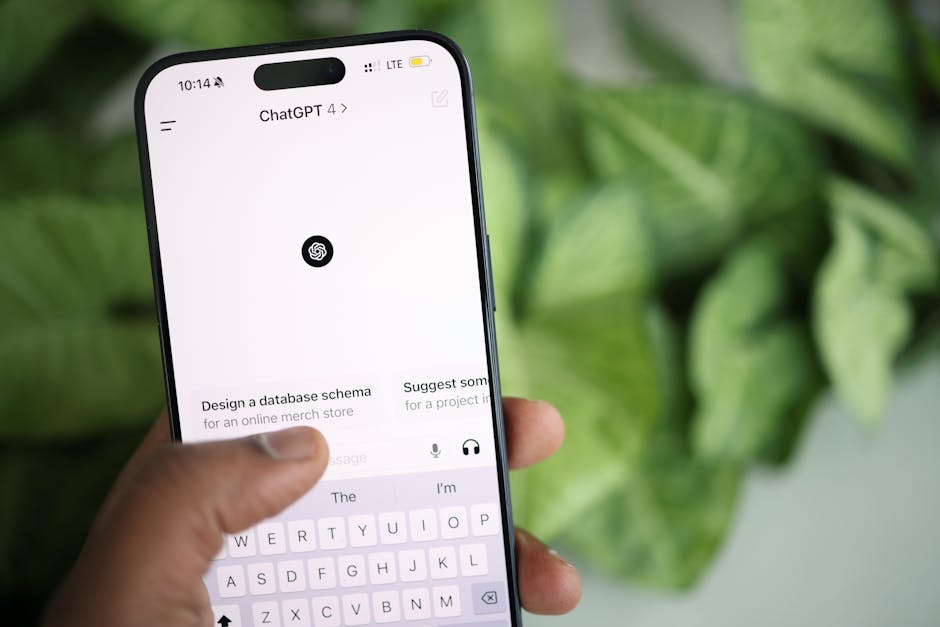
Subscriptions purchased through Apple’s iOS App Store are managed entirely by Apple. OpenAI **does not handle billing or cancellation** for these app store transactions. Therefore, when you try to cancel ChatGPT Plus on chatgpt.com after buying on iPhone, OpenAI’s system sees no active direct subscription linked to your account — because your subscription is tied to your Apple ID with Apple, not OpenAI.
In effect, your chatgpt.com account status is disconnected from your app store subscription. This is a classic example of subscription suprmind.ai channel lock-in that frustrates many users.
How to Cancel ChatGPT Plus on iPhone
Follow the official Apple route:
- Open the Settings app on your iPhone.
- Tap your name at the top to access Apple ID settings.
- Tap Subscriptions.
- Locate ChatGPT Plus in your active subscriptions list.
- Tap “Cancel Subscription” and follow Apple’s prompts.
Important Auto-Renew Gotcha: Apple subscriptions auto-renew unless actively canceled at least 24 hours before the renewal time. This means late cancellation attempts may result in charges for the next period.
What About Android or Web Purchases?
If you purchased ChatGPT Plus on Android via Google Play, cancel your subscription within the Google Play Store app’s subscriptions section.
For ChatGPT Plus acquired directly via OpenAI’s web portal, cancel through your OpenAI account dashboard.
Summary and Final Tips
- Subscription channel determines cancellation: iOS app store purchases must be canceled via Apple, web subscriptions via OpenAI’s site.
- Prices vary by channel: Web price is clear but excludes Apple/Google commissions baked into iOS/Android prices.
- No annual plan yet: Expect monthly renewals and closely track price notices.
- Trial is offer-based: Always check your trial terms directly — no universal free trial button.
- Reminder caution: Set calendar reminders 24 hours before trials or renewals to avoid surprise charges.
- Always open checkout on two devices before paying: Compare pricing and cancellation paths for your chosen subscription method.
Understanding these multi-channel subscription nuances is essential for a smooth ChatGPT Plus experience without unexpected charges or cancellation headaches. Hopefully, this clears up why you can’t cancel your iPhone-purchased ChatGPT Plus subscription from chatgpt.com — and helps you regain control over your subscription.
For further reading, refer to Apple’s subscription cancellation guide, and OpenAI’s official ChatGPT Plus FAQs.